How to install Bagisto Laravel eCommerce Platform

Are you the owner of an e-commerce store and looking to create an online e-commerce store? As the online e-commerce store is difficult to manage and costly.
Here the Bagisto comes with its advanced features. Bagisto is a free and open-source platform built on Laravel, a PHP framework. It comes with features like multi-vendor, PWA support, B2B tools, and a secure backend, which makes it a perfect solution for e-commerce businesses to create an online store.
In this blog we will cover everything about Bagisto, from its prerequisites to its process.
What is Bagisto?
Bagisto is an open-source platform that is built on Laravel. It creates code-based websites using Laravel, a perfect framework for creating small to large online stores. Whether you are a business owner looking for an online store or developers looking for easy-to-maintain code for an online store.
Prerequisites of Bagisto Laravel
Before getting started, make sure your system fulfills these requirements:
Software and Version Requirements
- PHP: Version 8.2 or higher
- Composer: Version 2.5 or higher
- MySQL: Version 8.0.32 or higher
- MariaDB (if used instead of MySQL): Version 10.3 or higher
- Node.js: Version 18.12.0 LTS or higher
- Web Server: Apache 2 or NGINX
- Operating System: Ubuntu 16.04 LTS or higher / Windows 7 or higher (using WAMP/XAMPP)
Hardware and System Requirements
- RAM: 4 GB or higher is recommended
- Processor: Clock speed of 1 GHz or higher
Required PHP Extensions
A standard Laravel application requires several PHP extensions. Make sure these are enabled in your PHP configuration:
- BCMath
- Ctype
- cURL
- DOM
- Fileinfo
- JSON
- Mbstring
- OpenSSL
- PCRE
- PDO
- Tokenizer
- XML
Once these requirements are fulfilled, you can move to the next step for setting up Bagisto.
Bagisto Installation Process Step-by-Step
Now since you have completed the requirements, we can start building the ecommerce store. Below, there are 2 methods available for setting up Bagisto:
- Method using GUI (Graphical User Interface)
- Using Terminal
Method 1: Using GUI
Navigate to the directory where you want to create the project, open the terminal, and run the below commands:
composer create-project bagisto/bagisto
cd bagisto
php artisan serve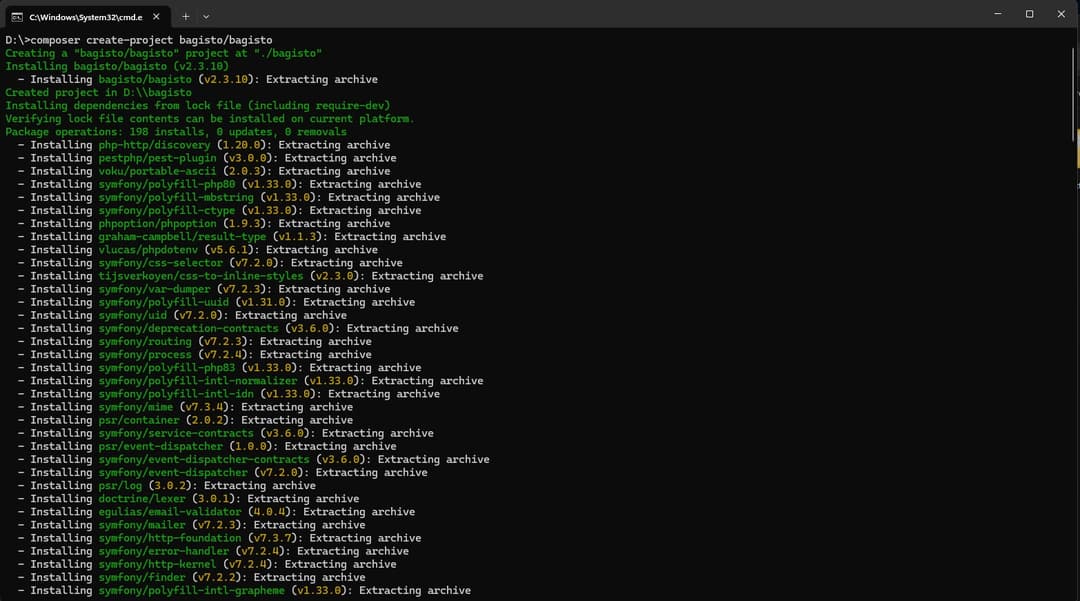
Open the URL in the browser: http://127.0.0.1:8000/ and set up the Bagisto ecommerce store.
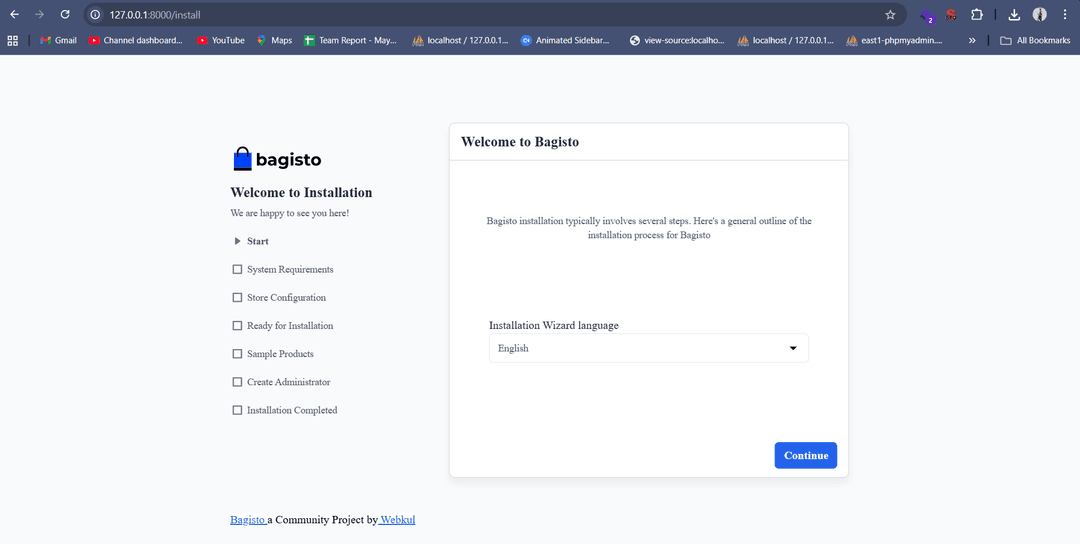
Option 2: Download the Zip File
Go to this URL https://bagisto.com/en/download/ and download the zip file.
Extract the zip file and your folder where you want to create this project
Navigate to the root and run this command:
php artisan serveNow open the URL http://127.0.0.1:8000/ in the browser and set up the Bagisto store.

Method 2: Using Terminal Only
Navigate to the directory where you want to create the project, open the terminal, and run the below commands:
composer create-project bagisto/bagisto
cd bagisto
php artisan bagisto:install
Follow the installation steps in the terminal.
In the both the method you will be asked for some questions like database credentials for setting up the Bagisto , currency type,
For accessing admin dashboard navigate to this URL http://127.0.0.1:8000/admin
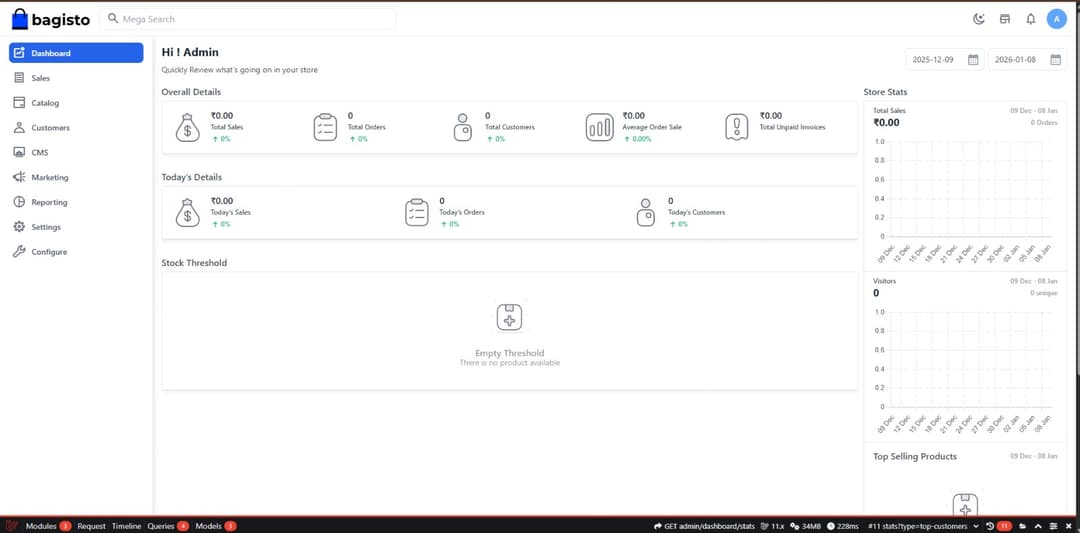
Why Use Bagisto?
1. Built for Developers
It is built on Laravel MVC (Model View Controller) architecture, which makes it easy to use for developers and customize.
2. API Support
Bagisto provides comprehensive GraphQL and REST APIs, which can be used for making mobile apps and third-party API integration.
3. Modern Tech
It uses Vue.js and Tailwind CSS for fast development and improves the performance.
4. Multi-Currency Support
Bagisto offers multi-currency feature. You can add currency in the admin panel under Setting -> Currencies.
5. Product Types
Bagisto Support multiple product types, whether they are simple, configurable, virtual, or downloadable.
Conclusion
Bagisto is a good-to-go framework for creating online e-commerce stores, whether you're a business owner or a developer. It comes with amazing features like easy customization, PWA support, and many more. It is easy to install and set up.
Recommended Bagisto Extensions
Popular Free Extensions:
You can use these extensions for adding more features to your online store.
- Bagisto Blog: An extension for adding blog functionality to your ecommerce store
- Abandoned Cart: Recover lost sales with cart reminders
- Product Reviews: It enables customer reviews and ratings.
- Social Login: This extension allows users to log in using social media accounts like Google, Facebook, etc.
- Wishlist: Let customers save products for later
Premium Extensions:
- Multi-Vendor Marketplace: Convert to marketplace platform
- Booking System: For service-based businesses
- Auction: Enable product bidding
- Mobile App: Ready-made iOS & Android apps