Laravel Roles and Permissions Using Spatie - Complete Step-by-Step Guide
Building a secure Laravel application requires proper user access control. In this comprehensive guide, you will learn how to implement roles and permissions in Laravel 9, 10, and 11 using the powerful Spatie Laravel Permission package. We will cover everything from installation to real-world admin panel implementation.
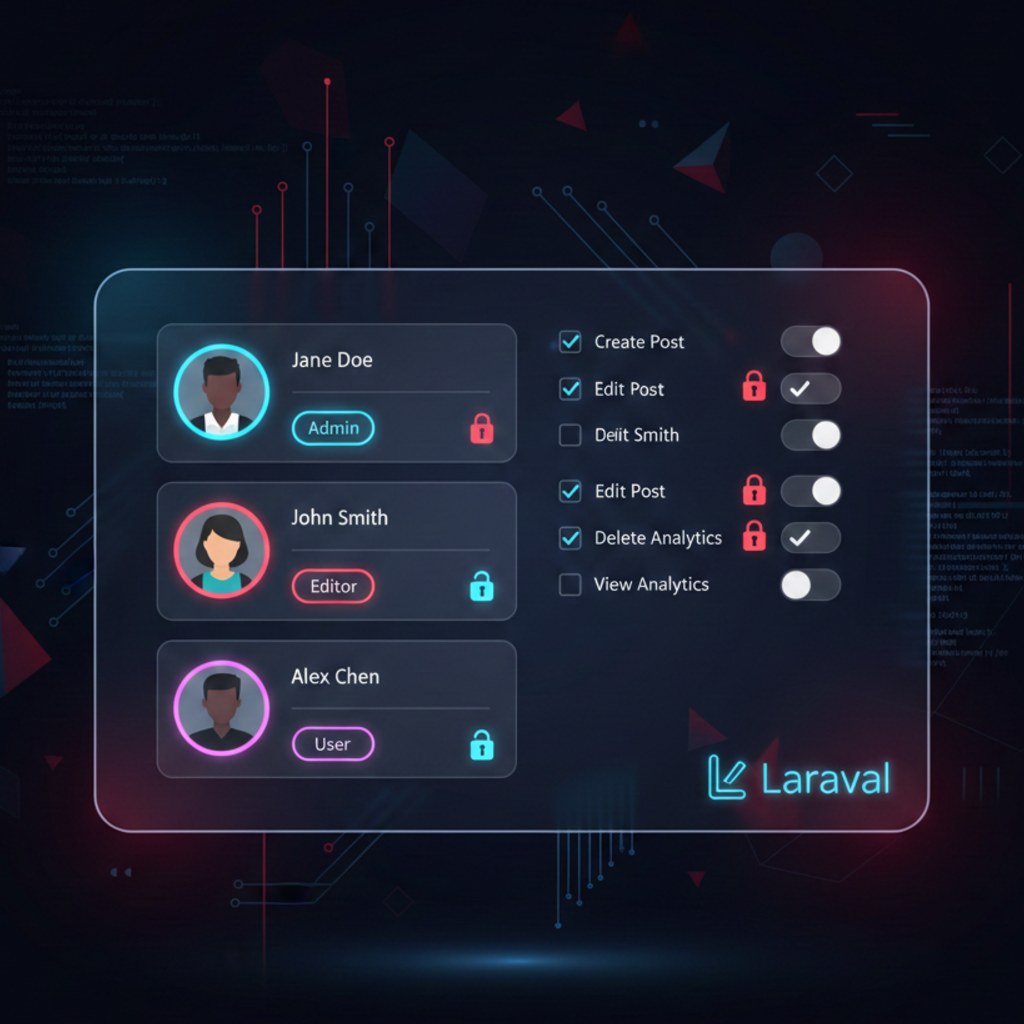
What Are Roles and Permissions in Laravel?
Before diving into implementation, let's understand the core concepts that form the foundation of access control in Laravel applications.
Understanding Permissions
A permission is a specific action or ability that a user can perform in your application. Think of permissions as granular capabilities like:
- view-posts
- create-posts
- edit-posts
- delete-posts
- manage-users
Understanding Roles
A role is a collection of permissions bundled together under a meaningful name. Roles represent user types or job functions in your system:
- Admin - Has all permissions (view, create, edit, delete posts and users)
- Editor - Can view, create, and edit posts but cannot delete them
- Viewer - Can only view posts, no editing capabilities
Real-World Example
In a blog management system, an Admin role might include permissions for create-posts, edit-posts, delete-posts, and manage-users. An Editor role might only have create-posts and edit-posts. When you assign a user the Admin role, they automatically receive all four permissions.
Why Use Spatie Laravel Permission Package?
While Laravel provides built-in authorization through Gates and Policies, the Spatie package offers several advantages for complex applications:
Database-Driven
Roles and permissions are stored in the database, allowing dynamic management without code changes.
Easy Assignment
Simple methods like assignRole() and givePermissionTo() make permission management intuitive.
Middleware Support
Built-in middleware for protecting routes based on roles and permissions out of the box.
Blade Directives
Conditional UI rendering with @can, @role, and other helpful Blade directives.
Installation and Setup
Step 1: Install the Package
First, install the Spatie Laravel Permission package via Composer. This command works for Laravel 9, 10, and 11:
composer require spatie/laravel-permissionStep 2: Publish Configuration and Migrations
Publish the package configuration file and migration files to your Laravel project:
php artisan vendor:publish --provider="Spatie\Permission\PermissionServiceProvider"This command creates two important files:
config/permission.php- Configuration file for customizing package behavior- Migration files in
database/migrations/- Database schema for roles and permissions
Step 3: Run Migrations
Execute the migrations to create the necessary database tables:
php artisan migrateThis creates five tables in your database:
roles- Stores role namespermissions- Stores permission namesmodel_has_roles- Links users to rolesmodel_has_permissions- Links users to direct permissionsrole_has_permissions- Links roles to permissions
Step 4: Add Trait to User Model
Add the HasRoles trait to your User model to enable role and permission functionality:
<?php

namespace App\Models;

use Illuminate\Foundation\Auth\User as Authenticatable;
use Spatie\Permission\Traits\HasRoles;

class User extends Authenticatable
{
    use HasRoles;

    // ... rest of your User model code
}
Important Note
Make sure to add the HasRoles trait after any authentication traits. The order matters for trait method resolution.
Understanding the Database Structure
Understanding how Spatie stores roles and permissions helps you work more effectively with the package. Here is the database relationship diagram:
Database Tables Relationships
users
  ├── model_has_roles (pivot) → roles
  ├── model_has_permissions (pivot) → permissions

roles
  └── role_has_permissions (pivot) → permissions
How It Works
- Direct Permissions: Users can have permissions assigned directly via model_has_permissions
- Role Permissions: Users inherit permissions from their assigned roles
- Combined Permissions: A user's final permissions are the union of direct permissions and role permissions
Creating Roles and Permissions
Creating Permissions
You can create permissions in several ways. The most maintainable approach is using database seeders:
<?php

namespace Database\Seeders;

use Illuminate\Database\Seeder;
use Spatie\Permission\Models\Permission;

class PermissionSeeder extends Seeder
{
    public function run(): void
    {
        // Define all permissions
        $permissions = [
            'view-dashboard',
            'view-users',
            'create-users',
            'edit-users',
            'delete-users',
            'view-posts',
            'create-posts',
            'edit-posts',
            'delete-posts',
            'manage-settings',
        ];

        // Create each permission
        foreach ($permissions as $permission) {
            Permission::create(['name' => $permission]);
        }
    }
}
Creating Roles
Create roles and assign permissions to them using a dedicated seeder:
<?php

namespace Database\Seeders;

use Illuminate\Database\Seeder;
use Spatie\Permission\Models\Role;
use Spatie\Permission\Models\Permission;

class RoleSeeder extends Seeder
{
    public function run(): void
    {
        // Create Admin role with all permissions
        $adminRole = Role::create(['name' => 'admin']);
        $adminRole->givePermissionTo(Permission::all());

        // Create Editor role with limited permissions
        $editorRole = Role::create(['name' => 'editor']);
        $editorRole->givePermissionTo([
            'view-dashboard',
            'view-posts',
            'create-posts',
            'edit-posts',
        ]);

        // Create Viewer role with read-only permissions
        $viewerRole = Role::create(['name' => 'viewer']);
        $viewerRole->givePermissionTo([
            'view-dashboard',
            'view-posts',
        ]);
    }
}
Running the Seeders
Register your seeders in DatabaseSeeder and run them:
<?php

namespace Database\Seeders;

use Illuminate\Database\Seeder;

class DatabaseSeeder extends Seeder
{
    public function run(): void
    {
        $this->call([
            PermissionSeeder::class,
            RoleSeeder::class,
        ]);
    }
}php artisan db:seedAssigning Roles and Permissions to Users
Assigning Roles
// Assign a single role to a user
$user = User::find(1);
$user->assignRole('admin');

// Assign multiple roles
$user->assignRole(['editor', 'moderator']);

// Or using role ID
$user->assignRole(1);

// Sync roles (removes existing roles first)
$user->syncRoles(['editor', 'viewer']);
Assigning Direct Permissions
// Give a single permission to a user
$user->givePermissionTo('edit-posts');

// Give multiple permissions
$user->givePermissionTo(['create-posts', 'delete-posts']);

// Sync permissions (removes existing first)
$user->syncPermissions(['view-posts', 'edit-posts']);
Removing Roles and Permissions
// Remove a role
$user->removeRole('editor');

// Revoke a permission
$user->revokePermissionTo('delete-posts');

// Remove all roles
$user->syncRoles([]);

// Remove all permissions
$user->syncPermissions([]);
Checking Roles and Permissions
// Check if user has a role
if ($user->hasRole('admin')) {
    // User is an admin
}

// Check if user has any of the given roles
if ($user->hasAnyRole(['admin', 'editor'])) {
    // User is either admin or editor
}

// Check if user has all roles
if ($user->hasAllRoles(['admin', 'moderator'])) {
    // User has both roles
}

// Check if user has a permission
if ($user->hasPermissionTo('edit-posts')) {
    // User can edit posts
}

// Check if user has direct permission (not through role)
if ($user->hasDirectPermission('delete-posts')) {
    // User has direct permission
}

// Using Laravel's can() method (recommended)
if ($user->can('edit-posts')) {
    // User can edit posts
}
Protecting Routes with Middleware
Registering Middleware
For Laravel 11, register the middleware in bootstrap/app.php:
<?php

use Illuminate\Foundation\Application;
use Illuminate\Foundation\Configuration\Middleware;

return Application::configure(basePath: dirname(__DIR__))
    ->withMiddleware(function (Middleware $middleware) {
        $middleware->alias([
            'role' => \Spatie\Permission\Middleware\RoleMiddleware::class,
            'permission' => \Spatie\Permission\Middleware\PermissionMiddleware::class,
            'role_or_permission' => \Spatie\Permission\Middleware\RoleOrPermissionMiddleware::class,
        ]);
    })
    ->create();
For Laravel 9 and 10, add middleware aliases in app/Http/Kernel.php:
protected $middlewareAliases = [
    // ... other middleware
    'role' => \Spatie\Permission\Middleware\RoleMiddleware::class,
    'permission' => \Spatie\Permission\Middleware\PermissionMiddleware::class,
    'role_or_permission' => \Spatie\Permission\Middleware\RoleOrPermissionMiddleware::class,
];
Using Permission Middleware in Routes
use App\Http\Controllers\PostController;

// Protect a single route
Route::get('/posts/create', [PostController::class, 'create'])
    ->middleware('permission:create-posts');

// Protect multiple routes with route group
Route::middleware(['permission:edit-posts'])->group(function () {
    Route::get('/posts/{post}/edit', [PostController::class, 'edit']);
    Route::put('/posts/{post}', [PostController::class, 'update']);
});

// Require multiple permissions (AND logic)
Route::middleware(['permission:edit-posts,delete-posts'])->group(function () {
    Route::delete('/posts/{post}', [PostController::class, 'destroy']);
});

// Require any permission (OR logic)
Route::middleware(['permission:edit-posts|delete-posts'])->group(function () {
    Route::get('/posts/manage', [PostController::class, 'manage']);
});
Using Role Middleware in Routes
// Protect route by role
Route::middleware(['role:admin'])->group(function () {
    Route::get('/admin/dashboard', [AdminController::class, 'dashboard']);
});

// Multiple roles (OR logic)
Route::middleware(['role:admin|editor'])->group(function () {
    Route::resource('posts', PostController::class);
});

// Multiple roles (AND logic)
Route::middleware(['role:admin,super-admin'])->group(function () {
    Route::get('/system/settings', [SettingsController::class, 'index']);
});
Using Role or Permission Middleware
// User needs either role OR permission
Route::middleware(['role_or_permission:admin|edit-posts'])->group(function () {
    Route::get('/posts/{post}/edit', [PostController::class, 'edit']);
});
Security Best Practice
Always protect sensitive routes with middleware. Never rely solely on UI-level permission checks. Middleware ensures unauthorized users cannot access protected endpoints even if they manipulate frontend code or make direct API requests.
Using Permissions in Controllers
Constructor Middleware
<?php

namespace App\Http\Controllers;

use App\Models\Post;
use Illuminate\Http\Request;

class PostController extends Controller
{
    public function __construct()
    {
        // Apply middleware to all methods
        $this->middleware('permission:view-posts')->only(['index', 'show']);
        $this->middleware('permission:create-posts')->only(['create', 'store']);
        $this->middleware('permission:edit-posts')->only(['edit', 'update']);
        $this->middleware('permission:delete-posts')->only(['destroy']);
    }

    public function index()
    {
        $posts = Post::paginate(15);
        return view('posts.index', compact('posts'));
    }

    // ... other methods
}
Manual Authorization Checks
<?php

namespace App\Http\Controllers;

use App\Models\Post;
use Illuminate\Http\Request;
use Illuminate\Support\Facades\Auth;

class PostController extends Controller
{
    public function update(Request $request, Post $post)
    {
        // Check permission manually
        if (!Auth::user()->can('edit-posts')) {
            abort(403, 'Unauthorized action.');
        }

        // Or use authorization helper
        $this->authorize('update', $post);

        // Update logic here
        $post->update($request->validated());

        return redirect()->route('posts.index')
            ->with('success', 'Post updated successfully');
    }

    public function destroy(Post $post)
    {
        // Check if user has role
        if (!Auth::user()->hasRole('admin')) {
            return redirect()->back()
                ->with('error', 'Only administrators can delete posts');
        }

        $post->delete();

        return redirect()->route('posts.index')
            ->with('success', 'Post deleted successfully');
    }
}
Using Gate Facade
use Illuminate\Support\Facades\Gate;

public function edit(Post $post)
{
    // Using Gate facade
    if (Gate::denies('edit-posts')) {
        abort(403);
    }

    // Or check and execute in one line
    Gate::authorize('edit-posts');

    return view('posts.edit', compact('post'));
}
Blade Directives for UI Control
Permission-Based Directives
{{-- Show content only if user has permission --}}
@can('edit-posts')
    <a href="{{ route('posts.edit', $post) }}" class="btn btn-primary">
        Edit Post
    </a>
@endcan

{{-- Hide content if user lacks permission --}}
@cannot('delete-posts')
    <p class="text-muted">You don't have permission to delete posts.</p>
@endcannot

{{-- Check multiple permissions (OR logic) --}}
@canany(['edit-posts', 'delete-posts'])
    <div class="post-actions">
        @can('edit-posts')
            <a href="{{ route('posts.edit', $post) }}">Edit</a>
        @endcan

        @can('delete-posts')
            <form method="POST" action="{{ route('posts.destroy', $post) }}">
                @csrf
                @method('DELETE')
                <button type="submit">Delete</button>
            </form>
        @endcan
    </div>
@endcanany
Role-Based Directives
{{-- Show content only for specific role --}}
@role('admin')
    <div class="admin-panel">
        <h3>Admin Controls</h3>
        <a href="{{ route('admin.settings') }}">System Settings</a>
    </div>
@endrole

{{-- Check multiple roles (OR logic) --}}
@hasanyrole('admin|editor')
    <nav class="management-menu">
        <a href="{{ route('posts.index') }}">Manage Posts</a>
    </nav>
@endhasanyrole

{{-- Check if user has all specified roles (AND logic) --}}
@hasallroles('admin|moderator')
    <p>You have both admin and moderator roles</p>
@endhasallroles

{{-- Show for users without role --}}
@unlessrole('subscriber')
    <button class="btn btn-upgrade">Upgrade Your Account</button>
@endunlessrole
Real-World Navigation Example
<nav class="navbar">
    <ul class="nav-menu">
        <li><a href="{{ route('home') }}">Home</a></li>

        @auth
            <li><a href="{{ route('dashboard') }}">Dashboard</a></li>

            @can('view-posts')
                <li><a href="{{ route('posts.index') }}">Posts</a></li>
            @endcan

            @role('admin|editor')
                <li class="dropdown">
                    <a href="#">Content Management</a>
                    <ul class="dropdown-menu">
                        @can('create-posts')
                            <li><a href="{{ route('posts.create') }}">Create Post</a></li>
                        @endcan
                        @can('view-users')
                            <li><a href="{{ route('users.index') }}">Manage Users</a></li>
                        @endcan
                    </ul>
                </li>
            @endrole

            @role('admin')
                <li><a href="{{ route('admin.settings') }}">Settings</a></li>
            @endrole
        @endauth
    </ul>
</nav>
Real-World Admin Panel Example
Let's build a complete role and permission management system for an admin panel. This example demonstrates how to create, edit, and assign roles and permissions dynamically.
Role Management Controller
<?php

namespace App\Http\Controllers\Admin;

use App\Http\Controllers\Controller;
use Illuminate\Http\Request;
use Spatie\Permission\Models\Role;
use Spatie\Permission\Models\Permission;
use Illuminate\Support\Facades\DB;

class RoleController extends Controller
{
    public function __construct()
    {
        $this->middleware('permission:view-roles')->only(['index', 'show']);
        $this->middleware('permission:create-roles')->only(['create', 'store']);
        $this->middleware('permission:edit-roles')->only(['edit', 'update']);
        $this->middleware('permission:delete-roles')->only(['destroy']);
    }

    public function index()
    {
        $roles = Role::with('permissions')->paginate(10);
        return view('admin.roles.index', compact('roles'));
    }

    public function create()
    {
        $permissions = Permission::all()->groupBy(function($permission) {
            return explode('-', $permission->name)[1] ?? 'other';
        });

        return view('admin.roles.create', compact('permissions'));
    }

    public function store(Request $request)
    {
        $validated = $request->validate([
            'name' => 'required|unique:roles,name|max:255',
            'permissions' => 'required|array',
            'permissions.*' => 'exists:permissions,id'
        ]);

        DB::transaction(function () use ($validated) {
            $role = Role::create(['name' => $validated['name']]);
            $role->syncPermissions($validated['permissions']);
        });

        return redirect()->route('admin.roles.index')
            ->with('success', 'Role created successfully');
    }

    public function edit(Role $role)
    {
        $permissions = Permission::all()->groupBy(function($permission) {
            return explode('-', $permission->name)[1] ?? 'other';
        });

        $rolePermissions = $role->permissions->pluck('id')->toArray();

        return view('admin.roles.edit', compact('role', 'permissions', 'rolePermissions'));
    }

    public function update(Request $request, Role $role)
    {
        $validated = $request->validate([
            'name' => 'required|max:255|unique:roles,name,' . $role->id,
            'permissions' => 'required|array',
            'permissions.*' => 'exists:permissions,id'
        ]);

        DB::transaction(function () use ($role, $validated) {
            $role->update(['name' => $validated['name']]);
            $role->syncPermissions($validated['permissions']);
        });

        return redirect()->route('admin.roles.index')
            ->with('success', 'Role updated successfully');
    }

    public function destroy(Role $role)
    {
        // Prevent deleting critical roles
        if (in_array($role->name, ['admin', 'super-admin'])) {
            return redirect()->back()
                ->with('error', 'Cannot delete system roles');
        }

        $role->delete();

        return redirect()->route('admin.roles.index')
            ->with('success', 'Role deleted successfully');
    }
}
User Management with Role Assignment
<?php

namespace App\Http\Controllers\Admin;

use App\Http\Controllers\Controller;
use App\Models\User;
use Illuminate\Http\Request;
use Illuminate\Support\Facades\Hash;
use Spatie\Permission\Models\Role;

class UserController extends Controller
{
    public function __construct()
    {
        $this->middleware('permission:view-users')->only(['index', 'show']);
        $this->middleware('permission:create-users')->only(['create', 'store']);
        $this->middleware('permission:edit-users')->only(['edit', 'update']);
        $this->middleware('permission:delete-users')->only(['destroy']);
    }

    public function edit(User $user)
    {
        $roles = Role::all();
        $userRoles = $user->roles->pluck('id')->toArray();

        return view('admin.users.edit', compact('user', 'roles', 'userRoles'));
    }

    public function update(Request $request, User $user)
    {
        $validated = $request->validate([
            'name' => 'required|string|max:255',
            'email' => 'required|email|unique:users,email,' . $user->id,
            'password' => 'nullable|min:8|confirmed',
            'roles' => 'required|array',
            'roles.*' => 'exists:roles,id'
        ]);

        // Update user basic info
        $user->update([
            'name' => $validated['name'],
            'email' => $validated['email'],
            'password' => $validated['password']
                ? Hash::make($validated['password'])
                : $user->password,
        ]);

        // Sync roles
        $user->syncRoles($validated['roles']);

        return redirect()->route('admin.users.index')
            ->with('success', 'User updated successfully');
    }
}
Role Edit Form Blade Template
@extends('layouts.admin')

@section('content')
<div class="container mx-auto px-4 py-8">
    <div class="bg-white dark:bg-gray-800 rounded-lg shadow-lg p-6">
        <h2 class="text-2xl font-bold mb-6">Edit Role: {{ $role->name }}</h2>

        <form method="POST" action="{{ route('admin.roles.update', $role) }}">
            @csrf
            @method('PUT')

            <div class="mb-6">
                <label class="block text-sm font-medium mb-2">Role Name</label>
                <input type="text"
                       name="name"
                       value="{{ old('name', $role->name) }}"
                       class="w-full px-4 py-2 border rounded-lg focus:ring-2 focus:ring-blue-500"
                       required>
                @error('name')
                    <p class="text-red-500 text-sm mt-1">{{ $message }}</p>
                @enderror
            </div>

            <div class="mb-6">
                <label class="block text-sm font-medium mb-4">Permissions</label>

                @foreach($permissions as $group => $groupPermissions)
                    <div class="mb-6 p-4 bg-gray-50 dark:bg-gray-700 rounded-lg">
                        <h4 class="font-semibold mb-3 text-lg capitalize">{{ $group }}</h4>
                        <div class="grid grid-cols-2 md:grid-cols-4 gap-3">
                            @foreach($groupPermissions as $permission)
                                <label class="flex items-center space-x-2 cursor-pointer">
                                    <input type="checkbox"
                                           name="permissions[]"
                                           value="{{ $permission->id }}"
                                           {{ in_array($permission->id, $rolePermissions) ? 'checked' : '' }}
                                           class="rounded text-blue-600 focus:ring-2 focus:ring-blue-500">
                                    <span class="text-sm">{{ $permission->name }}</span>
                                </label>
                            @endforeach
                        </div>
                    </div>
                @endforeach

                @error('permissions')
                    <p class="text-red-500 text-sm mt-1">{{ $message }}</p>
                @enderror
            </div>

            <div class="flex gap-4">
                <button type="submit"
                        class="px-6 py-2 bg-blue-600 text-white rounded-lg hover:bg-blue-700">
                    Update Role
                </button>
                <a href="{{ route('admin.roles.index') }}"
                   class="px-6 py-2 bg-gray-300 text-gray-700 rounded-lg hover:bg-gray-400">
                    Cancel
                </a>
            </div>
        </form>
    </div>
</div>
@endsection
Common Mistakes and How to Avoid Them
Mistake 1: Forgetting to Clear Cache
Spatie caches permissions for performance. After updating roles or permissions, always clear the cache:
php artisan permission:cache-resetMistake 2: Relying Only on UI Checks
Never rely solely on Blade directives for security. Always protect routes with middleware and check permissions in controllers. UI checks are for user experience, not security.
Mistake 3: Creating Too Many Permissions
Start with basic CRUD permissions (view, create, edit, delete) per resource. Avoid creating overly granular permissions that make management complex. You can always add more later.
Mistake 4: Not Using Guard Names Consistently
If you're using multiple guards (web, api), ensure roles and permissions are created with the correct guard. Otherwise, you'll get authorization errors.
// Correct: Specify guard when creating permission
Permission::create(['name' => 'edit-posts', 'guard_name' => 'web']);
Permission::create(['name' => 'edit-posts', 'guard_name' => 'api']);
Mistake 5: Not Protecting Against Role Deletion
Always prevent deletion of critical system roles like 'admin' or 'super-admin'. Deleting these roles can lock you out of your application.
Best Practices and Security Tips
Use Descriptive Permission Names
Use clear, action-based naming: 'view-posts', 'create-users', 'delete-comments'. Avoid vague names like 'access' or 'manage'.
Group Related Permissions
Organize permissions by resource (posts, users, settings) to make role creation and management easier. Use prefixes consistently.
Create a Super Admin Role
Create a super-admin role that bypasses all permission checks. Use Gate::before() to allow super admins access to everything.
Audit Role Changes
Log all role and permission assignments, especially in production. Use Laravel's activity log packages to track who changed what.
Test Authorization Thoroughly
Write feature tests to verify that users with different roles can and cannot access the correct routes. Test edge cases.
Use Policies for Model-Level Authorization
Combine Spatie permissions with Laravel Policies for resource-specific authorization (e.g., users can only edit their own posts).
Super Admin Implementation
Here's how to implement a super admin that bypasses all permission checks:
<?php

namespace App\Providers;

use Illuminate\Support\Facades\Gate;
use Illuminate\Foundation\Support\Providers\AuthServiceProvider as ServiceProvider;

class AuthServiceProvider extends ServiceProvider
{
    public function boot(): void
    {
        // Allow super-admins to bypass all permission checks
        Gate::before(function ($user, $ability) {
            return $user->hasRole('super-admin') ? true : null;
        });
    }
}
Testing Roles and Permissions
Writing tests ensures your authorization logic works correctly. Here are examples of testing roles and permissions:
Feature Test Example
<?php

namespace Tests\Feature;

use Tests\TestCase;
use App\Models\User;
use Spatie\Permission\Models\Role;
use Spatie\Permission\Models\Permission;
use Illuminate\Foundation\Testing\RefreshDatabase;

class RolePermissionTest extends TestCase
{
    use RefreshDatabase;

    protected function setUp(): void
    {
        parent::setUp();

        // Create permissions
        Permission::create(['name' => 'view-posts']);
        Permission::create(['name' => 'create-posts']);
        Permission::create(['name' => 'edit-posts']);
        Permission::create(['name' => 'delete-posts']);

        // Create roles
        $adminRole = Role::create(['name' => 'admin']);
        $adminRole->givePermissionTo(Permission::all());

        $editorRole = Role::create(['name' => 'editor']);
        $editorRole->givePermissionTo(['view-posts', 'create-posts', 'edit-posts']);
    }

    /** @test */
    public function admin_can_access_all_post_routes()
    {
        $admin = User::factory()->create();
        $admin->assignRole('admin');

        $this->actingAs($admin)
            ->get('/posts')
            ->assertOk();

        $this->actingAs($admin)
            ->get('/posts/create')
            ->assertOk();

        $this->actingAs($admin)
            ->delete('/posts/1')
            ->assertRedirect();
    }

    /** @test */
    public function editor_cannot_delete_posts()
    {
        $editor = User::factory()->create();
        $editor->assignRole('editor');

        $this->actingAs($editor)
            ->delete('/posts/1')
            ->assertForbidden();
    }

    /** @test */
    public function user_without_role_cannot_access_protected_routes()
    {
        $user = User::factory()->create();

        $this->actingAs($user)
            ->get('/posts/create')
            ->assertForbidden();
    }

    /** @test */
    public function user_can_have_multiple_roles()
    {
        $user = User::factory()->create();
        $user->assignRole(['admin', 'editor']);

        $this->assertTrue($user->hasRole('admin'));
        $this->assertTrue($user->hasRole('editor'));
        $this->assertTrue($user->hasAnyRole(['admin', 'editor']));
    }

    /** @test */
    public function permission_cache_is_cleared_after_update()
    {
        $user = User::factory()->create();
        $role = Role::findByName('editor');

        $user->assignRole($role);
        $this->assertFalse($user->can('delete-posts'));

        // Give role new permission
        $role->givePermissionTo('delete-posts');

        // Clear cache
        app()['cache']->forget('spatie.permission.cache');

        // Reload user
        $user = $user->fresh();
        $this->assertTrue($user->can('delete-posts'));
    }
}
Advanced Topics
Working with Multiple Guards
If your application uses multiple authentication guards (e.g., web and api), you need to create separate permissions for each:
// Create permissions for web guard
Permission::create(['name' => 'edit-posts', 'guard_name' => 'web']);

// Create permissions for api guard
Permission::create(['name' => 'edit-posts', 'guard_name' => 'api']);

// Assign to user with specific guard
$user->givePermissionTo('edit-posts', 'web');
$apiUser->givePermissionTo('edit-posts', 'api');

// Check permission with guard
$user->hasPermissionTo('edit-posts', 'web'); // true
$user->hasPermissionTo('edit-posts', 'api'); // false
Wildcard Permissions
You can implement wildcard permissions for more flexible authorization:
// Give user wildcard permission for all posts actions
$user->givePermissionTo('posts.*');

// In your authorization check
if ($user->can('posts.create') || $user->can('posts.*')) {
    // User can create posts
}

// Or use a custom helper
function canWithWildcard($user, $permission) {
    $parts = explode('.', $permission);
    $wildcard = $parts[0] . '.*';

    return $user->can($permission) || $user->can($wildcard);
}
Team-Based Permissions
For multi-tenant applications where permissions are scoped to teams or organizations:
// Enable teams in config/permission.php
'teams' => true,

// Assign role to user within a team
$user->assignRole('admin', $team);

// Check permission within team context
$user->hasPermissionTo('edit-posts', $team);

// Or set team context globally
setPermissionsTeamId($team->id);
$user->hasPermissionTo('edit-posts'); // Now checks within team context
Troubleshooting Common Issues
Issue: "Permission not found" Error
Cause: Permission doesn't exist in database or cache is stale
Solution:
# Clear permission cache
php artisan permission:cache-reset

# Verify permission exists
php artisan tinker
>>> Spatie\Permission\Models\Permission::all();
Issue: User Has Permission But Still Gets 403 Error
Cause: Guard mismatch or middleware not registered
Solution:
- Verify middleware is registered in bootstrap/app.php or Kernel.php
- Check if permission guard matches authentication guard
- Clear application cache:
php artisan optimize:clear
Issue: Changes to Roles Don't Reflect Immediately
Cause: Spatie caches permissions for performance
Solution:
# Clear cache after role/permission changes
php artisan permission:cache-reset

# Or disable caching in development (config/permission.php)
'cache' => [
    'expiration_time' => \DateInterval::createFromDateString('24 hours'),
    'key' => 'spatie.permission.cache',
    'store' => 'default',
],
Issue: Can't Delete or Update Users with Roles
Cause: Foreign key constraints in pivot tables
Solution:
// Remove all roles before deleting user
$user->roles()->detach();
$user->permissions()->detach();
$user->delete();

// Or use cascading delete in migration
Schema::table('model_has_roles', function (Blueprint $table) {
    $table->foreign('model_id')->references('id')
        ->on('users')->onDelete('cascade');
});
Conclusion
You now have comprehensive knowledge of implementing roles and permissions in Laravel using the Spatie package. This guide covered everything from basic installation to advanced topics like multi-guard authentication and team-based permissions.
Key takeaways from this tutorial:
- Foundation: Understanding roles as permission collections and permissions as granular abilities
- Implementation: Installing Spatie package, creating roles and permissions, and assigning them to users
- Protection: Using middleware to protect routes and checking permissions in controllers
- UI Control: Leveraging Blade directives to show/hide elements based on authorization
- Best Practices: Following security guidelines, avoiding common mistakes, and writing tests
- Real-World Usage: Building complete admin panels with dynamic role management
The Spatie Laravel Permission package is battle-tested and used by thousands of production applications. It provides a robust, scalable solution for authorization that grows with your application.
Next Steps
- Implement roles and permissions in your Laravel project
- Create an admin panel for managing roles dynamically
- Write comprehensive tests for your authorization logic
- Explore advanced features like team-based permissions if needed
- Read the official Spatie documentation for more details
Remember: Authorization is critical for application security. Always protect your routes with middleware, never rely solely on UI checks, and test your authorization logic thoroughly. With proper implementation, you can build secure, scalable Laravel applications with fine-grained access control.
Frequently Asked Questions
Related Articles You May Like
- Top Coding Tips: Clean Code, Boost Productivity, Master Practices
Best Practices • Intermediate
- The Ultimate Guide to Code Debugging: Techniques, Tools & Tips
Debugging • Intermediate
- GitHub Actions: Complete CI/CD Automation Guide
Git • Intermediate
- Laravel API Example: Creating Efficient Endpoints
Laravel • Advanced
- Laravel Tips and Tricks: Hidden Features Most Developers Miss
Laravel • Advanced
- How to Debug Laravel SQL Queries in API Requests: A Developer's Guide
Laravel • Intermediate