Laravel Inertia.js vs Livewire: Complete Comparison Guide
Choosing the right technology stack for your Laravel application can make or break your development experience. Two of the most popular choices in 2025 are Laravel Livewire and Inertia.js—both designed to help you build modern, reactive web applications without the complexity of traditional SPAs.
But which one should you choose? In this comprehensive guide, we'll compare Livewire and Inertia.js across performance, developer experience, SEO, scalability, and real-world use cases to help you make an informed decision.
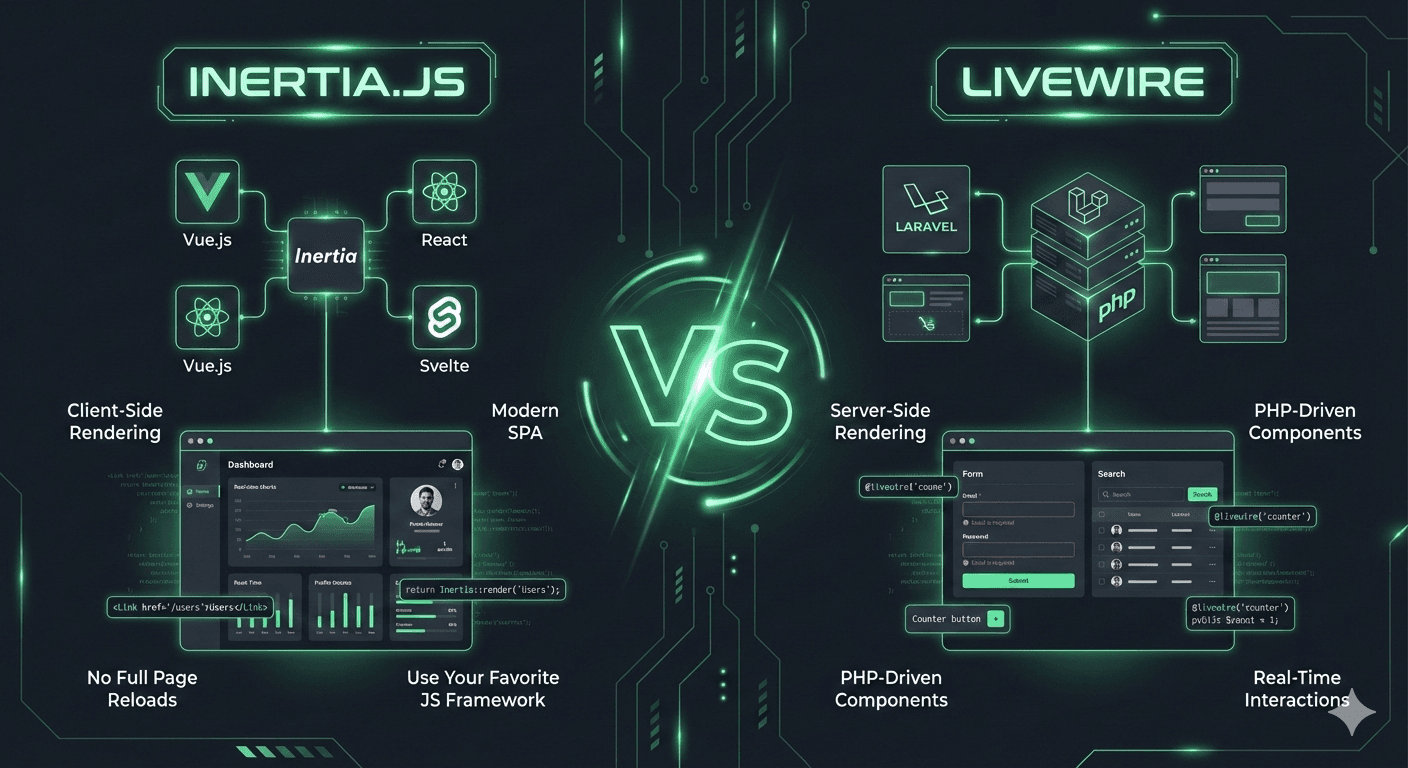
What Are Laravel Livewire and Inertia.js?
Understanding Laravel Livewire
Laravel Livewire is a full-stack framework that allows you to build dynamic, reactive interfaces using only PHP and Blade templates. Think of it as writing backend code that magically updates the frontend in real-time—no JavaScript framework required.
Behind the scenes, Livewire uses AJAX requests and DOM diffing to update only the parts of the page that changed, giving you a smooth, SPA-like experience while staying in the Laravel ecosystem.
// Livewire Component Example
namespace App\Livewire;

use Livewire\Component;

class Counter extends Component
{
    public $count = 0;

    public function increment()
    {
        $this->count++;
    }

    public function render()
    {
        return view('livewire.counter');
    }
}
Understanding Inertia.js
Inertia.js is not a framework—it's a clever adapter that connects your Laravel backend to modern JavaScript frameworks like Vue.js, React, or Svelte. It creates a single-page application experience without building a separate REST or GraphQL API.
With Inertia, you use Laravel routes and controllers to return page components (instead of JSON), and your chosen JavaScript framework handles the rendering. It's the perfect middle ground between traditional server-side rendering and full SPA architecture.
// Inertia + Vue Example (Controller)
// Laravel Controller
public function index()
{
    return Inertia::render('Users/Index', [
        'users' => User::all()
    ]);
}

// Vue Component (Users/Index.vue)
<template>
  <div>
    <h1>Users</h1>
    <div v-for="user in users" :key="user.id">
      {{ user.name }}
    </div>
  </div>
</template>

<script setup>
defineProps({ users: Array })
</script>
Key Differences: Livewire vs Inertia.js
| Feature | Laravel Livewire | Inertia.js |
|---|---|---|
| Programming Language | Primarily PHP (Blade) | PHP + JavaScript (Vue/React/Svelte) |
| Architecture | Server-rendered components | Client-side SPA with server props |
| Learning Curve | Easier for PHP developers | Requires JavaScript framework knowledge |
| SEO | SEO-friendly by default | Requires SSR setup for optimal SEO |
| Performance | More server requests, excellent for standard apps | Client-side routing, better for heavy interactivity |
| Best For | MVPs, admin panels, CRUD apps | Complex UIs, dashboard apps, high interactivity |
Developer Experience: Which One Feels Better?
Livewire: Backend Developer's Dream
If you're a PHP developer who loves Laravel's elegance, Livewire feels like home. You write components in PHP, use familiar Blade syntax, and leverage all of Laravel's features—validation, authorization, database queries—right inside your components.
Pros:
- ✅ Zero context switching between frontend and backend
- ✅ Minimal JavaScript required (works great with Alpine.js)
- ✅ Seamless integration with Laravel's ecosystem
- ✅ Rapid development for backend-focused teams
- ✅ Easy testing with Laravel's built-in tools
Cons:
- ❌ More server requests compared to client-side SPAs
- ❌ Less control over advanced frontend behavior
- ❌ Can feel limiting for complex, highly interactive UIs
- ❌ Performance optimization requires understanding AJAX overhead
Inertia.js: Modern Frontend Power
Inertia.js gives you the best of both worlds: Laravel's robust backend with the power of modern JavaScript frameworks. You get complete control over your UI, access to the vast npm ecosystem, and a true SPA experience.
Pros:
- ✅ Full power of Vue/React/Svelte for complex UIs
- ✅ Smooth, instant page transitions (true SPA feel)
- ✅ Access to thousands of JavaScript libraries
- ✅ Better separation of concerns (backend vs frontend)
- ✅ Excellent for teams with frontend expertise
Cons:
- ❌ Requires JavaScript framework knowledge
- ❌ More complex build pipeline (bundlers, compilation)
- ❌ Additional tooling and configuration
- ❌ Steeper learning curve for backend-only developers
Performance & Scalability: Real-World Benchmarks
Livewire Performance Characteristics
Livewire makes more server requests than traditional SPAs because every interaction triggers an AJAX call to the server. However, it's highly optimized:
- Lazy Loading: Components load only when visible
- Polling: Efficient background updates
- DOM Diffing: Only changed elements are updated
- Wire:offline: Graceful handling of network issues
Best performance for: Standard web apps, admin dashboards, content-heavy sites, CRUD operations
Inertia.js Performance Characteristics
Inertia.js operates like a traditional SPA—after the initial page load, navigation happens entirely client-side without full page reloads:
- Client-Side Routing: Instant page transitions
- Partial Reloads: Fetch only the data you need
- Asset Versioning: Smart cache invalidation
- Prefetching: Load pages before users click
Best performance for: Highly interactive apps, data visualization, real-time dashboards, drag-and-drop interfaces
💡 Performance Verdict 2025:
For most standard web applications, both perform excellently. Choose Livewire for simpler setups and faster development. Choose Inertia for apps requiring heavy client-side interactivity and complex state management.
SEO: Which Is Better for Search Engines?
Livewire: SEO-Friendly by Default
Since Livewire renders content server-side, search engine crawlers see fully-rendered HTML immediately. No extra configuration needed—your pages are automatically crawlable and indexable.
<!-- What Google sees with Livewire (fully rendered) -->
<div wire:id="users-list">
  <h1>User Directory</h1>
  <div class="user">
    <h2>John Doe</h2>
    <p>Software Engineer</p>
  </div>
  <!-- Fully rendered content -->
</div>
Inertia.js: Requires SSR Setup
By default, Inertia.js applications render client-side, which can be problematic for SEO. However, Inertia supports Server-Side Rendering (SSR), which renders your Vue/React components on the server before sending HTML to the client.
# Enable SSR for Inertia + Vue
npm install @inertiajs/vue3
php artisan inertia:start-ssr

# Configure in vite.config.js
export default defineConfig({
  plugins: [
    laravel({
      input: ['resources/js/app.js', 'resources/js/ssr.js'],
      ssr: 'resources/js/ssr.js',
    }),
  ],
})
✅ SEO Winner:
Livewire wins for out-of-the-box SEO. However, once SSR is configured, Inertia.js provides excellent SEO with the added benefit of faster client-side navigation.
When to Use Laravel Livewire
Choose Laravel Livewire when:
- 🎯 You're building an MVP or prototype — Get to market faster with minimal setup
- 🎯 Your team is primarily backend/PHP developers — No need to hire frontend specialists
- 🎯 Building admin panels or internal tools — Where speed of development matters most
- 🎯 Creating CRUD applications — Forms, tables, and standard web interfaces
- 🎯 SEO is critical — Content needs to be immediately crawlable
- 🎯 You want to stay within Laravel's ecosystem — Leverage existing knowledge and tools
- 🎯 Budget is tight — Fewer dependencies and simpler deployment
Perfect Livewire Use Cases
- 📊 Admin dashboards and back-office tools
- 📝 Content management systems (CMS)
- 🛒 E-commerce admin panels
- 📧 Email marketing platforms
- 👥 Customer relationship management (CRM) tools
- 📋 Project management applications
When to Use Inertia.js
Choose Inertia.js when:
- 🚀 Building highly interactive applications — Real-time updates, drag-and-drop, complex state
- 🚀 Your team has frontend expertise — Developers comfortable with Vue/React/Svelte
- 🚀 Need advanced UI components — Leverage the npm ecosystem and component libraries
- 🚀 Building SaaS products — Where UX and interactivity are competitive advantages
- 🚀 Want separation of concerns — Clear division between backend logic and UI
- 🚀 Planning mobile app integration — Reuse frontend components across platforms
- 🚀 Require offline functionality — Progressive Web App (PWA) capabilities
Perfect Inertia Use Cases
- 📈 Data visualization dashboards
- 🎨 Design tools and creative applications
- 💬 Real-time chat and collaboration tools
- 🎮 Interactive gaming or entertainment platforms
- 📱 Mobile-first progressive web apps
- 🏦 Financial trading platforms
Installation & Setup: Getting Started
Setting Up Laravel Livewire
# Install Livewire
composer require livewire/livewire

# Create your first component
php artisan make:livewire Counter

# Include Livewire assets in your layout
<!-- resources/views/layouts/app.blade.php -->
<html>
<head>
    @livewireStyles
</head>
<body>
    {{ $slot }}
    @livewireScripts
</body>
</html>

# Use the component
<livewire:counter />
Setting Up Inertia.js with Vue
# Install Inertia server-side
composer require inertiajs/inertia-laravel

# Install client-side dependencies
npm install @inertiajs/vue3

# Configure Inertia middleware
php artisan inertia:middleware

# Add to app/Http/Kernel.php
protected $middlewareGroups = [
    'web' => [
        // ...
        \App\Http\Middleware\HandleInertiaRequests::class,
    ],
];

# Setup app.js
import { createApp, h } from 'vue'
import { createInertiaApp } from '@inertiajs/vue3'

createInertiaApp({
  resolve: name => {
    const pages = import.meta.glob('./Pages/**/*.vue', { eager: true })
    return pages[`./Pages/${name}.vue`]
  },
  setup({ el, App, props, plugin }) {
    createApp({ render: () => h(App, props) })
      .use(plugin)
      .mount(el)
  },
})
Ecosystem & Community Support
Livewire Ecosystem
- Livewire UI: Pre-built components and utilities
- WireUI: Beautiful Tailwind CSS components for Livewire
- Laravel Jetstream: Application scaffolding with Livewire
- Alpine.js: Perfect companion for lightweight JavaScript
- Filament: Admin panel builder powered by Livewire
Inertia.js Ecosystem
- Vue/React/Svelte Libraries: Access to thousands of npm packages
- Laravel Breeze: Starter kit with Inertia + Vue/React
- PrimeVue/Material-UI: Enterprise-grade component libraries
- Ziggy: Use Laravel routes in JavaScript
- Inertia Table: Advanced data table components
🎯 2025 Status:
Both ecosystems are mature and production-ready. Livewire has stronger Laravel-specific tooling, while Inertia.js benefits from the broader JavaScript ecosystem.
Learning Curve & Team Considerations
For Backend Developers
If your team consists primarily of PHP/Laravel developers, Livewire is the clear winner. You can build reactive interfaces without learning a JavaScript framework, reducing onboarding time and maintaining productivity.
For Full-Stack Teams
Teams with JavaScript expertise will find Inertia.js more natural. It allows frontend developers to work in familiar territory (Vue/React) while backend developers focus on Laravel controllers and business logic.
For Hiring Considerations
- Livewire: Easier to find Laravel developers; lower barrier to entry
- Inertia: Attracts both Laravel and JavaScript developers; larger talent pool
Can You Use Both? The Hybrid Approach
Yes! Many successful Laravel applications use both Livewire and Inertia.js strategically:
- 🔧 Admin panels and back-office tools: Built with Livewire for rapid development
- 🎨 Customer-facing dashboards: Built with Inertia for premium UX
- 📊 Simple forms and tables: Livewire components
- 📈 Complex data visualizations: Inertia + Vue/React charts
// Mix Livewire and Inertia in the same app
// routes/web.php

// Livewire route for admin
Route::get('/admin/dashboard', AdminDashboard::class)
    ->middleware(['auth', 'admin']);

// Inertia route for user dashboard
Route::get('/dashboard', function () {
    return Inertia::render('Dashboard/Index', [
        'stats' => DashboardStats::get()
    ]);
})->middleware('auth');
⚡ Pro Tip:
Start with Livewire for your MVP or initial features. As specific parts of your application require more complex interactivity, migrate those sections to Inertia.js incrementally. This pragmatic approach maximizes development speed while maintaining flexibility.
Cost & Deployment Considerations
Livewire Deployment
- ✅ Simpler deployment pipeline (just Laravel backend)
- ✅ No separate build step for JavaScript
- ✅ Lower hosting costs (no CDN required for assets)
- ✅ Fewer dependencies to maintain
Inertia.js Deployment
- ⚙️ Requires asset compilation (Vite/Webpack)
- ⚙️ Benefits from CDN for JavaScript bundles
- ⚙️ Larger initial JavaScript payload
- ⚙️ More complex CI/CD pipeline
Real-World Success Stories
Companies Using Livewire
- Filament: Popular admin panel builder for Laravel
- Statamic: Flat-file CMS uses Livewire components
- Multiple SaaS startups: For rapid MVP development
Companies Using Inertia.js
- Ping CRM: Example CRM showcasing Inertia's power
- Various agencies: Building client dashboards and web apps
- SaaS platforms: Requiring complex, interactive UIs
Future-Proofing Your Choice in 2025
Livewire's Future
Livewire 3 (released in 2023) brought major improvements including better performance, improved testing, and enhanced developer experience. The framework is actively maintained by Caleb Porzio and has strong backing from the Laravel community.
Inertia's Future
Inertia.js continues to evolve with better SSR support, improved TypeScript integration, and expanded framework adapters. Created by Jonathan Reinink, it's gaining momentum as more developers discover its elegant approach to building modern web apps.
Final Recommendation: Which Should You Choose?
Choose Laravel Livewire if:
- ✅ Your team is primarily PHP/Laravel developers
- ✅ You're building MVPs, admin panels, or internal tools
- ✅ SEO is critical and you want it out-of-the-box
- ✅ You want the fastest path to production
- ✅ Budget constraints favor simpler deployments
Choose Inertia.js if:
- ✅ Your team has JavaScript framework expertise
- ✅ Building highly interactive, complex UIs
- ✅ Need access to the npm ecosystem and component libraries
- ✅ Want true SPA experience with instant navigation
- ✅ Planning to reuse frontend components across platforms
The truth is, there's no wrong choice. Both Livewire and Inertia.js are excellent tools that solve real problems elegantly. Your decision should be based on:
- 🎯 Your team's existing skillset and preferences
- 🎯 The specific requirements of your project
- 🎯 Long-term maintenance and scalability needs
- 🎯 Budget and timeline constraints
Remember: You can always start with one and introduce the other later. Many successful Laravel applications use a hybrid approach, leveraging the strengths of both tools.
Conclusion
Laravel Livewire and Inertia.js represent two excellent approaches to building modern web applications in 2025. Livewire empowers PHP developers to create reactive interfaces without leaving Laravel's comfort zone, while Inertia.js bridges Laravel with the power of modern JavaScript frameworks.
Whether you choose the simplicity and speed of Livewire or the flexibility and power of Inertia, you're making a solid choice backed by thriving communities and excellent documentation.
The best way to decide? Build a small prototype with each and see which one feels right for your team and project. Happy coding! 🚀
Frequently Asked Questions
Related Articles You May Like
- Top Coding Tips: Clean Code, Boost Productivity, Master Practices
Best Practices • Intermediate
- The Ultimate Guide to Code Debugging: Techniques, Tools & Tips
Debugging • Intermediate
- GitHub Actions: Complete CI/CD Automation Guide
Git • Intermediate
- Laravel API Example: Creating Efficient Endpoints
Laravel • Advanced
- Laravel Tips and Tricks: Hidden Features Most Developers Miss
Laravel • Advanced
- How to Debug Laravel SQL Queries in API Requests: A Developer's Guide
Laravel • Intermediate